


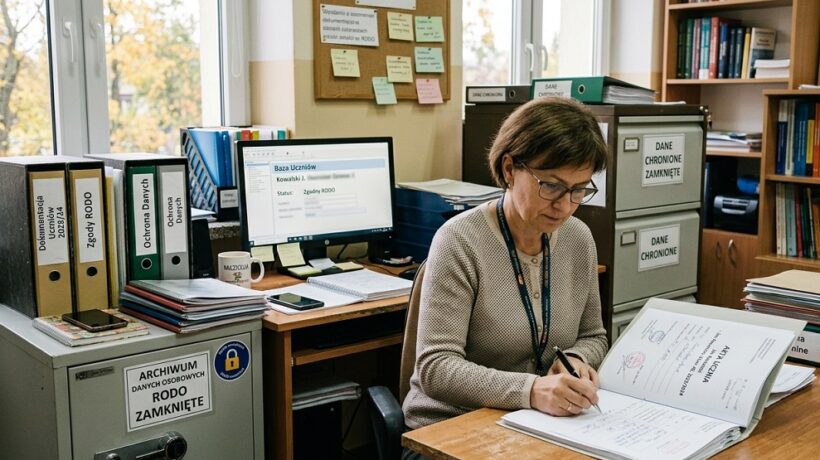
How to Manage Student Data in Accordance with GDPR Requirements
The work of a teacher is not only a blackboard and chalk, but also the role of a chronicler, analyst and, unfortunately, administrator. We have created real “paper fortresses” around us – bastions of information that are supposed to serve the good of the student, but whose management consumes energy that we could devote to what is most important: teaching.
This administrative reality has been superimposed by the GDPR (General Data Protection Regulation), which, on the one hand, rightly protects the privacy of our charges, but on the other hand – for many of us it has become synonymous with the paralyzing fear of making a mistake. The fear of improper data processing has caused us to often choose the safest, but also the least effective way: we stick to paper and avoid digitization.
This article aims to debunk the myth that GDPR compliance must be a bureaucratic nightmare. On the contrary, I will show you how modern technologies, and artificial intelligence (AI) in particular, can become our greatest ally. This is not about putting sensitive data in the hands of soulless algorithms, but about using intelligent assistants to help us automate processes, create secure templates, and analyze data in an anonymized way – all to regain time and energy for our students.
- How to Manage Student Data in Accordance with GDPR Requirements
- Secure Documentation Philosophy
- Analyze progress based on anonymized data
- Automate communication and organization
- AI tools in teachers' work:
September 20, 2026
I invite you to a journey through a world where documentation becomes not a burden, but a valuable source of knowledge, and compliance with the law goes hand in hand with innovation and comfort of work.
Secure Documentation Philosophy
Before we get into the tools, we need to understand the fundamentals. GDPR in education is based on a few simple, common-sense principles that AI can help us implement.
- Data minimization: Collect only the data that is absolutely necessary to achieve your teaching and care goals.
- Purpose Limitation: Only use data for the purpose for which you have obtained consent (e.g. contact details for progress information, not for marketing purposes).
- Confidentiality and integrity: Protect data from unauthorized access. This is where secure, encrypted tools become crucial, rather than publicly available clouds.
- Accountability: Be able to prove that you are acting in accordance with the law.
Where is the place for AI? Artificial intelligence will not keep a journal for us in the public ChatGPT model. Her role is more subtle and much more powerful. AI will be our process consultant, analyst of anonymized trends, and creator of secure templates. Let’s remember the golden rule: sensitive student data never leaves the secure, closed school environment (e.g. school server, Office 365 for Education). AI, on the other hand, can operate at the level of meta-data, templates, and anonymized statements.
Automation tools and strategies
Let’s forget about rewriting the same information in several places. It’s time to get the technology to work.
Create and manage GDPR-compliant document templates
We waste most of our time creating repetitive documents. AI can generate perfect, lawful templates for us, which we then fill out in a secure environment.
- Tools: ChatGPT, Google Gemini, Microsoft Copilot (in the version integrated with Word).
- How does it work? Instead of searching the Internet for a sample consent for a trip, we can ask the AI:
Prompt: “You are a GDPR specialist in a Polish school. Create a parental consent template for your child to participate in a school day trip. The document must include: the purpose of data processing, the scope of the data, information about the data controller (place to be inserted), parental rights and the period of storage of consent.”
The result: In a few seconds, we receive a professional, editable document, which we only need to adapt to the reality of our facility. We save time and make sure that we have included all the key legal elements.
Case Study: Mrs. Anna, Class 3 Teacher and Meeting with Parents
Mrs. Anna has to prepare a semester report for each of the 25 students. He has his notes in the form of headings:
“Kasia – very creative in art, difficulties with concentration on mathematics; Tomek – the leader of the group, sometimes too dominant”.
- Problem: It takes her a whole weekend to dress these terms in the professional, pedagogical and kind language of descriptive assessment.
- AI-powered solution: Anna opens a secure Word document on her school computer (as part of the Office 365 suite). It uses ChatGPT (in a separate browser, without pasting personal information) as a “phrase generator”.
- Process: Enters anonymous, generic commands into the AI, e.g.:
“Rephrase the slogan ‘student has difficulty concentrating on math’ into a positive, constructive message for descriptive assessment, indicating an area for work.” AI suggests: “It is worth continuing to work on developing the ability to focus attention during mathematical tasks to fully exploit its analytical potential.”
“Suggest synonyms for the word ‘polite’ to differentiate language in descriptive assessments.”
Result: Anna is still the author of the assessments and uses her observations, but AI has provided her with a bank of professional formulations. It took her 3 hours to prepare the reports, not 10.
Analyze progress based on anonymized data
One of the most important tasks of documentation is to track student progress. AI allows us to see patterns and trends across the entire class or group, without the need to analyze each student individually – provided we work on anonymized data.
- Animation is the process of deleting or replacing personal data (name, surname) with a unique code (e.g. Uczeń_01, Uczeń_02).
- Tools: AI functions in Microsoft Excel (e.g. Analyse Data), scripts in Google Sheets.
How does it work?
- On your local, secured computer, you create a worksheet with the results of the test.
- You create a column with nicknames (e.g. Uczeń_01) and delete the column with names and surnames.
- Now you can analyze this anonymized file.
- You can ask Excel, “Show me which task had the lowest grade point average” or “Is there a correlation between the results of Task 3 and Task 5?”.
What do we gain? We quickly identify the areas that caused the whole class the most difficulties and we can plan an effective repetition. We pursue pedagogical goals without violating the privacy of a single student.
Automate communication and organization
AI built into workflow tools like Microsoft To Do, Trello (with AI Butler), or Notion AI can become your personal secretariat.
- Kindergarten teacher: Uses AI to create a checklist based on voice memos. She says to the phone : “Remind me to ask Zosia’s parents to bring tissues tomorrow and organize a meeting about the green school.” AI creates tasks and sets reminders.
- Lecturer at the university: It uses automation in the LMS (Learning Management System). Sets the rule: “If a student submitted a work after the deadline, automatically send them a notification with information about the rules for grading delayed work.”
Looking to the future, the role of documentation – and the AI that supports it – will undergo a fundamental transformation. Instead of just being a record of the past, it will become an early warning and personalization system.
Opportunities (directions of development):
- Student Smart Portfolio: Imagine a digital portfolio where AI helps a student tag and describe their work, suggesting which ones best illustrate the development of a given competency. The system could also analyze the portfolio (in a way anonymized to the teacher) and suggest, “The students in your class show great visual thinking abilities but require support in written argumentation.”
- Early warning systems: AI integrated into educational platforms could (with the consent and knowledge of parents) analyze behavioural patterns – e.g. a decrease in logins, a slower pace of solving tasks – and discreetly inform the teacher or school educator: “Uczeń_15 shows a change in engagement. It is worth getting in touch with him.” This is not supervision, but proactive, automated care.
- Adaptive Support Plans: Based on data from feedback from counseling centers (processed locally), AI could generate personalized templates for a support strategy for a student with dyslexia or dyscalculia, including an exercise bank, suggested working methods, and digital tools.
Risks and recommendations:
- Labeling risk: Algorithms can misclassify a student based on incomplete data. Therefore, the decision to intervene must always belong to a human – a teacher, and AI can only be a whistleblower.
- Digital exclusion: We need to ensure that digital records don’t exacerbate the gap between students with different access to technology.
- Key recommendation: Efforts should be made to create and implement school-based, integrated IT systems that are designed with the GDPR in mind from the outset. Working on random, free apps is asking for trouble. As teachers, we should be advocates of such solutions in our institutions.
Documentation does not have to be our nightmare or a legal minefield. Treated wisely and supported by intelligent tools, it becomes what it should always be: a map of progress, a compass that shows the way and a chronicle of the successes of our students.
Artificial intelligence does not take away our autonomy or replace our pedagogical intuition. On the contrary, it takes the burden of repetitive, administrative tasks off our shoulders, freeing up our most precious resource: time. Time to talk, to observe, to be present.
- The golden rule: Never paste students’ personal data (names, surnames, social security numbers, addresses, sensitive feedback information) into publicly available AI models (ChatGPT, Gemini, etc.).
- Think with templates: Use AI to generate universal templates, patterns, and structures, which you then fill out manually in a safe, school-based environment (e.g., word processor, electronic diary).
- Anonymize before analysis: If you want to analyze class data (e.g., test scores), always remove or replace personal identifiers first.
- Work with the Data Protection Officer (DPO): You’re not alone. Your DPO is there to advise. Before you implement a new digital tool, ask them for their opinion. It’s your safety cushion.
- Use the school ecosystem: If your school uses Google Workspace for Education or Microsoft 365 for Education, use the tools built into it. They are designed with security and GDPR compliance in mind.
- Automate wisely: Start small. Automate the creation of a parent meeting plan, a descriptive assessment template, or a trip checklist. Small victories will build your confidence.
- Educate, don’t hide: Talk to parents and students (appropriate for their age) about how technology helps in the educational process and how you protect their data. Transparency builds trust.
Remember, technology is just a tool. In our hands, it can become a lever that will allow us to work smarter, not harder, and fully devote ourselves to the passion for which we have chosen this profession.
The following list complements basic tools (such as ChatGPT or Google Gemini) with specialized applications that solve specific problems related to time management and documentation. The key to their effective and safe use is to understand that they are the first, automated stage of work, and the final documentation, containing sensitive data, is created in a safe, school ecosystem.
AI tools in teachers’ work:
| Category | Tool | Key AI Feature | Use in the Documentation | GDPR Shield (Security) |
|---|---|---|---|---|
| Transcription and Voice Memos | Otter.ai, Fireflies.ai | Real-time speech-to-text conversion, summaries. | Noting down observations about students “on the fly” and converting them into text for official notes. | Recording permission required. Never use full names; Use initials or codes. |
| Writing and Editorial Assistants | Wordtune, QuillBot | Paraphrasing, changing the tone of speech, improving stylistics. | Improving language in descriptive assessments and emails to parents. | Work only on anonymous fragments. Do not paste entire documents with personal information. |
| Meeting automation | Calendly, MS Bookings | Smart links for booking appointments, calendar synchronization. | Arrange interviews and consultations without exchanging dozens of emails. | Collect the bare minimum of data. MS Bookings (within Office 365) is usually a more secure choice. |
| Creating document structures | Gamma.app | Generate document and presentation wireframes based on a prompt. | Creating blank IPET structures, educational plans or lesson plans. | Do not provide student data in the prompt! The tool is only used to build universal templates. |
| Intelligent Research | Perplexity AI | A conversational search engine that provides sources and links. | Quickly check definitions, working methods, or recipes without searching Google. | Verify sources. A safe tool as long as you don’t enter any student data into it. |
| Visualization and Brainstorming | Miro AI | Create mind maps and diagrams on a virtual whiteboard. | Organizing thoughts before writing reports (e.g., class successes and challenges). | Use private whiteboards. Use nicknames. It is a tool for concepts, not for archiving the final data. |
| Smart Forms | Typeform, Jotform | Design engaging surveys and automatically analyze results. | Evaluation surveys for students or collecting feedback from parents. | Set the anonymity of the response. Remember to add the GDPR information clause in the form. |