


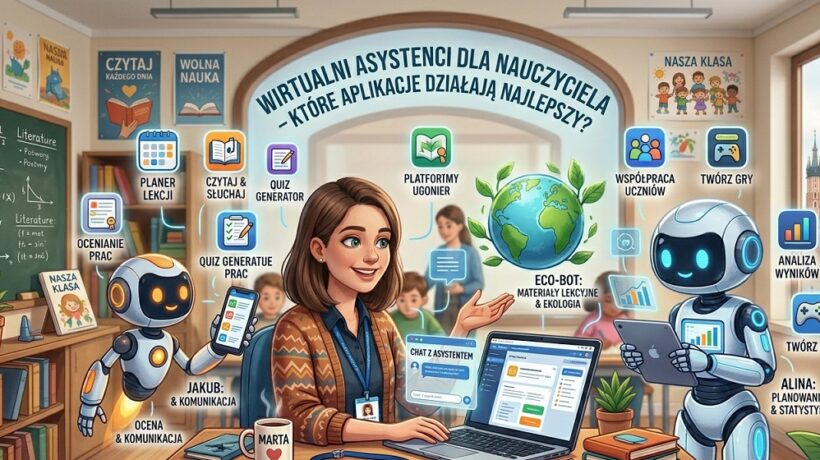
AI Teaching Assistants: Which Tools Actually Work Best?
This post is not science fiction. This is your practical guide to the world of AI-powered virtual assistants. I’ll show you which apps really work in school and how to use them to reclaim your priceless time and energy by automating tasks that have been stealing your evenings so far. It’s time to stop doing everything yourself.
“Another technological novelty I don’t have time for” – I hear this thought. I understand it perfectly. Over the years, I’ve tested dozens of apps and I know what’s just a trinket and what’s real support. Let me give you three arguments for giving your new assistant a chance.
This is a radical time saver
- AI Teaching Assistants: Which Tools Actually Work Best?
- This is a radical time saver
- How to do it step by step?
- Improve and personalize the result (First Sketch Principle)
- Scenarios from school life: Case studies and typical pitfalls
- Teacher's Essentials: Tools and Resources
- Threads that others won't tell you about
- The biggest change – AI as a partner of the STUDENT, not only the teacher
- The Elephant in the Teacher's Room – "Will AI Replace Me?"
- Strategies for the ambitious – When the basics are not enough
September 20, 2026
- AI assistants automate the most time-consuming tasks: creating exercises, quizzes, lesson plans, writing emails, or generating texts. We are not talking about minutes, but about hours recovered on a weekly basis. Time that you can spend talking to the student, refining the most important elements of the lesson or, simply, private life.
- It is the personalization of teaching on an unprecedented scale . Do you have a gifted student, a student with disabilities and a student from Ukraine in your class? It is almost impossible to manually prepare matching materials for each of them. With AI, you can generate text in a minute on three different difficulty levels, with a bilingual glossary. What used to be a luxury is now becoming a standard available at the click of a button. Less frustration with students means fewer discipline issues for you.
- It is an inexhaustible source of inspiration. Each of us sometimes has an empty head. How to start a lesson on romanticism? How to explain fractions in an interesting way? A virtual assistant is your creative brainstorming partner, available 24/7. They will throw in ideas for projects, unusual questions for discussion, and even suggest pop culture analogies that will appeal to your students.
What are you risking by ignoring this topic? Burnout. Really. Continuing to believe that you have to do everything manually is a simple way to frustration and loss of the joy of teaching. Technology is like a lever today – you can continue to move everything with the power of your own muscles, or you can learn to use it and work smarter, not harder.
How to do it step by step?
Let’s get to the point. Here are 5 steps to hiring your first virtual assistant. No cost and no complicated installation.
Define a specific task to delegate
Don’t approach AI with a generic slogan: “Help me with the lesson“. It’s like asking an assistant to “do something in the office.” You have to be specific. Start with one small but annoying task. For example:
- “Generate 5 true/false questions for the text about Mieszko I”.
- “Write a short, interesting story that explains what photosynthesis is for a 10-year-old.”
- “Create 3 math text problems on percentage calculations, set in the realities of a computer game.”
Choose the right tool (your “Big Three”)
There are hundreds of tools on the market, but you only need one of these three to get started. All of them are free and speak Polish.
- ChatGPT (chat.openai.com): The king of creativity. Best for writing texts, stories, dialogues, language simplification, and brainstorming.
- Microsoft Copilot (copilot.microsoft.com): The brain of the operation. Integrated with Bing search engine, so it has access to up-to-date information. Great for tasks that require facts, research and summarizing articles from the Internet.
- Google Gemini (gemini.google.com): A versatile helper. It integrates perfectly with Google tools (e.g. it can summarize a video on YouTube). It is great with tables and data analysis.
To begin with, choose one and stick with it for a week.
Master the art of a good prompt
The quality of the response you get from the AI depends 99% on the quality of your referral. Wrong command: “Do tasks about verbs”. A good recommendation is like a cake recipe – precise and detailed.
Built-in Template: Copy and Use – “Perfect Command Recipe“
Use this structure to make your commands produce great results:
- ROLE: You are [np. doświadczonym nauczycielem biologii w liceum, który potrafi tłumaczyć trudne rzeczy w prosty sposób].
- TASK: Your task is [np. stworzenie listy 5 analogii z życia codziennego, które pomogą zrozumieć proces mitozy].
- CONTEXT: The materials are for [np. klasy pierwszej liceum, w której uczniowie szybko się nudzą]. The level of knowledge is basic.
- FORMAT: I want the result to be in the form of [np. listy punktowanej. Każdy punkt powinien zawierać analogię i krótkie (1-2 zdania) wyjaśnienie, jak łączy się ona z mitozą].
- LIMITATIONS: Use language that a 15-year-old can understand. Avoid complicated scientific jargon.
Improve and personalize the result (First Sketch Principle)
Remember: AI will never give you a ready-made ideal. His answer is always the first, intelligent sketch. Your task is to review it, correct it, add something from yourself, give it your teaching “voice“. You are the expert!
- AI gave you 5 ideas? Choose the top 3.
- Is the text a bit too formal? Rewrite one or two sentences.
- The task is good, but lacks context? Add the names of your students.
This is the stage where technology meets your heart and experience.
Pro-Tip from a practitioner: Are you stuck and don’t know how to formulate a command? Ask for help… artificial intelligence itself! Type in ChatGPT or Copilot: “I’m a 7th grade physics teacher. Give me 10 examples of great prompts that I can use to create engaging materials for my lessons.” The AI will teach you how to talk to it on its own!
Build your knowledge base
Once you create a command that gave a fantastic result, don’t let it die!
- Create a simple file in Word or Google Docs called “My Best AI Prompts.”
- Paste proven “recipes” for generating tests, worksheets, lesson plans.
That way, the next time you need similar material, you won’t start from scratch. You just copy, slightly modify and in 30 seconds you will achieve what took you 5 minutes the first time.
Scenarios from school life: Case studies and typical pitfalls
Scenario 1: Mrs. Ewa and varied mathematics in the 4th grade
Problem: Mrs. Ewa taught mathematics in grade 4. She had a group of students who coped with tasks quickly and started to get bored, and several children who needed much more time and simpler examples. Preparing additional tasks for both groups consumed her evenings.
Application of the method: Ms. Ewa used ChatGPT and the “Recipe for the Perfect Command“. It asked the AI to generate 10 multiplication table text tasks in 3 versions: LEVEL 1 (simple tasks, small numbers), LEVEL 2 (standard tasks) and LEVEL 3 (thinking tasks, with a puzzle element). It took her 5 minutes, including customization.
Result: All students in the lesson were engaged and worked at the appropriate level of challenge for themselves. The comments “I’m bored!” disappeared, and students with difficulty felt that they were successful. Mrs. Ewa recovered at least 45 minutes every day.
Scenario 2: Mr. Jacek and the lack of time for communication in high school
Problem: Mr. Jacek, the teacher of the graduation class, had to regularly communicate with his parents about his learning progress, deadlines and preparations for the matura exam. Writing each email from scratch was time-consuming, and he often lacked the strength to put his thoughts into words precisely.
Application of the method: Mr. Jacek asked Copilot to create a template for an email to parents with information about the low attendance of the student. In the order, he asked to maintain a tone that is “concerned and partner-like, not accusatory”. He got the perfect sketch, which he saved as a template.
Result: Communication with parents has become faster and less stressful. Mr. Jacek could send professional, well-thought-out messages within 2-3 minutes, instead of 15-20.
Common pitfalls and how to avoid them:
- The Blind Trust Trap: You use AI responses without verification.
Solution: ALWAYS check the facts, dates, names. AI can make up with great confidence (this is called “hallucination”). Treat them like a brilliant but sometimes inattentive intern.
- The trap of being too generic: You type in a “spring lesson plan” and you get a useless, generic mush.
Solution: Use the “Perfect Recommendation Recipe“. The more details you provide (age of the students, duration of the lesson, goals), the better the result you will get.
- Ethical trap: You upload sensitive student data (e.g. names, opinions from counseling centers) into the AI.
Solution: NEVER do this. Remain completely anonymous. Instead of writing “Create a work plan for Janek Kowalski who has dyslexia”, write “Create a work plan for a 12-year-old student with dyslexia”.
Teacher’s Essentials: Tools and Resources
It’s your starter toolbox. Free, simple, and extremely powerful.
General purpose assistants (up to 90% of tasks):
- Microsoft Copilot – your command center. Ideal for research, planning, and creating content based on current data. It works on your computer and on your phone.
- ChatGPT – Your creative partner. Indispensable for generating texts, tasks, dialogues and lesson scenarios when you do not need access to the latest information from the Internet.
- Google Gemini – your analyst and integrator. Use it if you want to summarize a YouTube video, analyze data in a table, or create something in the Google ecosystem.
Assistants-specialists (for specific tasks):
- Gamma (https://gamma.app/) – Instant schedule. You type in a topic, and Gamma creates an entire aesthetic presentation or document in a minute. No more tedious slide assembly!
- Curipod (https://curipod.com/) – Interactive Lesson Generator. You give a topic, and he creates a ready-made storyboard with polls, word clouds, and quizzes that engage the whole class.
Ready material to copy:
Copy my universal worksheet generator: Use this command template in ChatGPT or Copilot. Simply fill in the square brackets. You are an expert in creating teaching materials. Your task is to create a worksheet on [wpisz temat] for students of class [wpisz klasę]. The card should contain 3 types of tasks: [np. jedno zadanie typu prawda/fałsz, jedno zadanie z lukami i jedno pytanie otwarte]. The style is supposed to be engaging and understandable for [np. 11-latka]. Present the result in a clear format, ready to be copied.
Summary: Your personal checklist
I hope you’re already feeling excited about the possibilities that virtual assistants give you. Remember these three key principles:
- Delegate tasks, not responsibilities. AI does the work, but you’re the boss and editor-in-chief.
- Command precision is the key to success. Treat the conversation with the AI as an assignment for a very capable but very literal assistant.
- Start with a small, single task. Don’t try to revolutionize all your work in one day. Automate one thing and you will feel the power of that change.
Your roadmap for implementation – Checklist to get started:
- Think of ONE task that regularly steals your time (e.g., creating homework).
- Go to the Copilot.microsoft.com website.
- Use the “Perfect Command Recipe” template to describe the AI task.
- Review and refine your answer.
- Congratulate yourself – you’ve just regained 20 minutes of your life!
For immediate use
Here are 3 things you can do in the next 10 minutes to feel the power of your virtual assistant:
- Open ChatGPT and type: “Give me 3 surprising facts about [temat Twojej jutrzejszej lekcji]that I can use as a ‘hook’ at the beginning of class to get students curious.”
- Paste the command from your worksheet into Copilot and add at the beginning: “Rewrite this command to make it more exciting and worded in the form of a challenge for a 13-year-old.” Compare the effects.
- Ask Google Gemini: “Write a professional but warm draft email to parents inviting them to an interview. Emphasize that the goal is a partnership conversation about the child’s development.” Use it as a base.
Threads that others won’t tell you about
You have already mastered the technical basics. You know how to write commands and which tools to choose. Now, let’s talk about what separates the artisan from the artist in the use of AI in education. These are the nuances that will make your work with these tools not only effective, but also smart, safe and truly revolutionary.
Beyond technology – your ethical responsibility as a teacher
This is the most important thread, which is why it is the first. Using AI isn’t just about clicking buttons, it’s about making a series of small but important ethical decisions. Here’s Your Moral Checklist
- Privacy and sensitive data. Rule number one, indisputable and sacred: NEVER paste any personal or sensitive information about your students, their parents or colleagues into publicly available AI models (such as ChatGPT or Copilot). AI learns from everything you type into it. Do not write “Create an opinion about Janek Kowalski from class 3b, who has problems with…”. Instead, anonymize: “Create a sample opinion for a 10-year-old student who exhibits the following difficulties…” You are the guardian of your charges’ data.
- Transparency – to whom and what to say? Should you inform students and parents that you are using AI to create materials? My answer is yes, absolutely. But not as a form of confession, but as an element of modeling the competences of the future. You can say at the meeting: “Ladies and gentlemen, sometimes I use AI tools to create diverse tasks for your children faster. I do this so that I have more time to work directly with them in the classroom.” This builds trust and shows that you are a modern, conscious educator.
- The trap of bias. AI models learn from huge data sets from the internet, which… well, they’re not perfect. They can replicate gender, cultural or racial stereotypes. Your job as an editor-in-chief is to take a critical look at the generated content. If you ask for a story about a scientist, and the AI creates a male character by default, your role is to notice it and consciously change it, asking, for example, for a “story about a brilliant scientist”.
The biggest change – AI as a partner of the STUDENT, not only the teacher
So far, we’ve talked about how AI can help you. But the real revolution begins when you teach your students how to use it wisely. What if every student in your class had a personal, infinitely patient tutor, available 24/7?
Introduce AI as a learning tool in your lessons (especially in older grades) by setting clear rules. Here’s how students can use them:
- Asabout “Explainer Tutor”: “I don’t understand photosynthesis the way you explained it in class. ChatGPT, explain it to me as if you were explaining to a Star Wars fan, using the analogy of the Force.”
- As a “Debate Simulator”: “Gemini, take on the role of a supporter of nuclear energy. I will be the opponent. Have a debate with me and point out the weaknesses of my argument so that I can better prepare for the discussion in class.”
- As a “personalized writing coach“: “Analyze my dissertation. Don’t correct mistakes, just ask me 5 questions that will help me improve my introduction and arguments on my own.”
It is crucial to establish the rules: AI is a tool for learning and self-improvement, not for cheating. Determine together what is allowed help (e.g. brainstorming, explaining concepts) and what is already plagiarized (copying a finished work).
The Elephant in the Teacher’s Room – “Will AI Replace Me?”
Let’s talk about the anxiety that many of us feel when we see what these tools can do. Is our work at risk? Let me answer briefly and unequivocally: No. But its character will definitely change.
Think of it this way: the calculator didn’t replace mathematicians, it freed them from tedious calculations, allowing them to focus on solving problems. A word processor did not replace writers, but made it easier for them to edit. AI will not replace the teacher, but will automate the repetitive part of his work so that he can finally fully focus on what is irreplaceable.
No one and nothing can replace your ability to:
- Building relationships and looking the student in the eye to see that he is having a bad day.
- Igniting a spark of curiosity with your own passion.
- Creating a sense of security in the classroom.
- To have an educational conversation that changes someone’s life.
AI is your assistant for administrative and technical matters. Thanks to it, you have to regain the time and strength to be a MENTOR, and not just a worksheet manufacturer.
Strategies for the ambitious – When the basics are not enough
Have you mastered the basics? It’s time for advanced techniques that will take you to the expert level.
- Generate personalized rating rubrics: This task takes hours. Try the command: “You are an experienced examiner. Create a detailed grading rubric (in the form of a table) for the essay on ‘Was Antigone right?’. Include criteria such as: compliance with the topic, argumentation, use of contexts, composition and language. Define 5 levels of assessment for each criterion, from ‘outstanding’ to ‘needs improvement.'”
- AI as the “devil’s advocate“: Before you introduce a new project, ask the AI to criticize it. “Here’s my idea for a biology project for grade 6 [opisujesz projekt]. Take on the role of a skeptical but benevolent educational consultant. Point out 3 potential problems or weaknesses of this project and suggest how I can eliminate them.”
- Creating complex simulations and case studies: Do you need material for an educational lesson or WOS? “Create a realistic scenario of conflict in the student council regarding budget spending. Describe three conflicting characters with different motivations. End the scenario with an open-ended question that will provoke the class to discuss compromise and democracy.”