


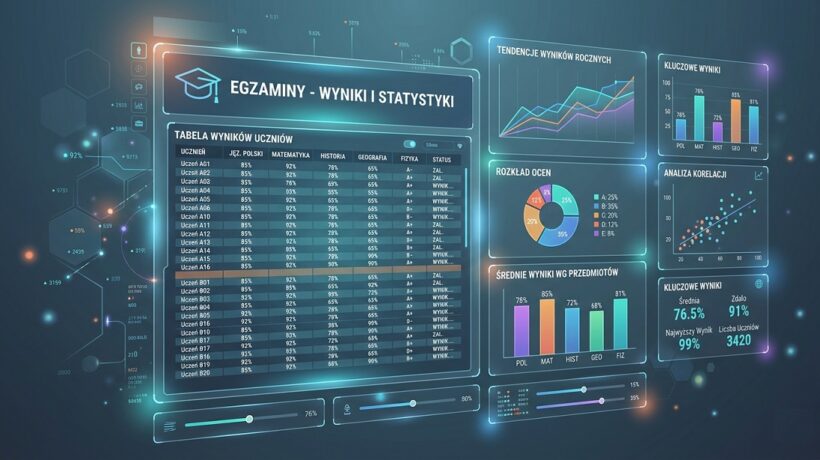
Free AI Tools to Analyze Student Performance
In this post, I’ll show you how you can hire your personal education analyst who works for free and is available 24/7. You’ll learn how, step by step, using simple, free AI tools (such as ChatGPT or Microsoft Copilot), you can analyze the results of the entire class in minutes, identify hidden problems, and receive ready-made suggestions for exercises tailored to the needs of each group of students. You’ll find that data analysis isn’t just another bureaucratic chore, but a powerful tool that will save you time, allow you to teach more effectively, and make sure no student is left behind.
Why does it really work?
The thought of “data analysis” can seem complicated and time-consuming. However, with the help of AI, it becomes one of the most powerful tools in your arsenal. Here are four key reasons why you should do so:
September 20, 2026
- You regain invaluable time and energy. Manually analyzing the tests for patterns (e.g., which task was the most difficult?) is tedious. AI does it in seconds. Instead of spending hours flipping through the pages, you can spend that time on what matters most: working with students, talking, building relationships, or just getting some well-deserved rest.
- You move from judging to diagnosing. The grade says “what” the student has achieved. The diagnosis says “why”. AI helps you see the forest, not just individual trees. He points out that “75% of students who made a mistake in Task 3 have a problem with irregular verbs”, and not just that “15 students got a four”. This allows you to treat the cause, not just the symptoms.
- You enable true personalization of teaching. Each class is a collection of individuals. With AI, you can instantly divide students into groups based on their specific needs. The tool itself will suggest: “For group A (multiplication table problems), prepare these exercises. For group B (they need challenges), offer this problem task.” Differentiation becomes simple and based on facts, not on intuition.
- You make decisions based on data, not gut feelings. We all have our “teacher’s hunches”, but the data doesn’t lie. The analysis can reveal problems you didn’t expect, or show that your methods work even better than you thought. This gives you confidence and allows you to consciously plan the next steps in the teaching process.
Ignoring this possibility is, in practice, consent to less efficient work. It is sticking to superficial assessment, while we have tools at our fingertips that allow us to deeply understand the needs of each student. In the long run, it is a loss of potential – both yours and your charges.
Pro-Tip: Don’t limit yourself to test results! You can analyze survey responses, excerpts from written papers, or observation notes. Ask the AI: “Analyze these three descriptions of student behavior and identify potential causes for their distraction.” You will get a whole new perspective.
Workshop: How to do it step by step?
Ready to hire your assistant? The process is simpler than you think. Here are 5 steps to effectively analyze class performance.
Step 1: Prepare your data (and take care of your privacy!)
This is the most important and sensitive step. Never enter students’ real names or any data that could identify them into public AI tools!
- Open a simple spreadsheet (Excel, Google Sheets) or a word processor (Word, Notepad).
- Create a table. In the first column, enter the anonymized student IDs: Student 1, Student 2, Student 3, and so on.
- In the following columns, enter the score scores for each assignment, not just the final grade. This is key!
Example of a table with the results of a math test:
| Student | Rump. 1 (max 2 points) | Rump. 2 (max 3 points) | Rump. 3 (max 5 points) | Rump. 4 (max 2 points) | Total points |
|---|---|---|---|---|---|
| Student 1 | 2 | 3 | 2 | 2 | 9 / 12 |
| Student 2 | 1 | 3 | 5 | 0 | 9 / 12 |
| Student 3 | 2 | 1 | 1 | 1 | 5 / 12 |
| Student 4 | 2 | 3 | 4 | 2 | 11 / 12 |
September 20, 2026
Step 2: Choose a tool.
You don’t need specialized, expensive software. All you need is one of the free, popular language models:
- Microsoft Copilot (copilot.microsoft.com): Available for free, often integrated with the latest GPT model. Simple to use chat interface.
- ChatGPT 3.5 (chat.openai.com): A classic. The free version is extremely powerful and is more than enough for our purposes.
- Claude (claude.ai): It is excellent at analyzing longer texts and large amounts of data pasted into the chat window.
Step 3: Create a powerful analytics prompt.
The quality of the analysis depends on the quality of your referral. Instead of asking, “What do you think of these results?”, ask the AI to step into a specific role and perform specific tasks.
Template of the “Master of Analysis” Prompt to copy:
“Take on the role of an experienced educational analyst and educator. My goal is to have a deep understanding of my class results in order to better plan my next steps. Below I paste a table with the results of the test from [nazwa przedmiotu]concerning [temat sprawdzianu]. The maximum number of points for each task is indicated in the header.
The tasks tested the following skills:
- Task 1: [np. Dodawanie ułamków o tych samych mianownikach]
- Task 2: [np. Odejmowanie ułamków o różnych mianownikach]
- Task 3: [np. Rozwiązywanie zadań tekstowych z ułamkami]
- Task 4: [np. Skracanie ułamków]
[TUTAJ WKLEJ SWOJĄ TABELĘ Z WYNIKAMI]
Based on this data, please perform the following analysis in 5 steps:
General Analysis: What is the average grade score? Which task turned out to be the most difficult (lowest average points) and which one was the easiest?
- Problem identification: Which specific skills (assigned to tasks) are the most challenging for students? Provide specific percentages.
- Student Grouping: Divide students into 3 groups based on their performance and diagnosed difficulties:
– Group 1 (requiring urgent support): Students with the lowest scores, struggling with basic issues. List their identifiers and indicate their main difficulties.
– Group 2 (to consolidate ): Students with average scores who have mastered the basics but make mistakes in more complex tasks. Indicate what they should practice.
– Group 3 (for development and challenges): Students with the highest scores. - Recommendations for activities: For each of the 3 identified groups, propose 2 specific activities or types of exercises that will help them learn. Be creative, propose, for example, exercises in the form of a game, problem tasks or projects.
- Synthesis for the teacher: Summarize the analysis in 3 key conclusions that I should remember when planning the next lessons.”
Step 4: Interpret the results and verify them with your knowledge.
AI will provide you with a clear report. Your task is to read it and confront it with your knowledge of the class. Does the AI diagnosis on Student 3 agree with your observations? Most often yes, but you are the expert on your students. Treat AI as an extremely efficient assistant, but the final pedagogical decision is always yours.
Step 5: Put the plan into action.
Use AI suggestions. Prepare the suggested activities for the next lesson. Maybe you will organize work in groups that the AI suggested? You will see how problem-oriented teaching brings immediate results.
Secret from the teacher’s room: When the AI suggests types of exercises, you can go one step further. Copy the proposal for one of the groups and write in the next proposal: “Great idea. Now generate for me 3 specific text tasks for Group 1 that will practice subtracting fractions with different denominators in the context of cooking.” You will receive ready-made materials to print!
Scenarios from school life: Case Studies and good practices
Case Study 1: Ms. Joanna, English teacher (high school)
- Problem: The students were writing essays, but Joanna had the impression that everyone was making similar mistakes, although it was difficult for her to grasp it. It took her a whole weekend to correct 30 papers.
- Solution: Instead of points, she created a table in which she rated several aspects of each essay on a scale of 1-5 (grammar, vocabulary, structure, coherence). She uploaded the data to ChatGPT with a prompt asking her to indicate the lowest-rated categories in the entire class.
- Result: In 15 seconds, the AI indicated that the biggest problem is not grammar, but “consistency” (the use of conjunctions, logical connection of paragraphs). On this basis, Mrs. Joanna prepared a 20-minute mini-lesson on this particular topic, instead of general grammar repetition. The effects in subsequent works were noticeably better.
Case Study 2: Mr. Krzysztof, history teacher (grade 6)
- Problem: After the section on ancient Rome, the test performed very poorly. Mr. Krzysztof was convinced that the students simply did not learn.
- Solution: Conducted a spot analysis in Copilot. It turned out that the students perfectly coped with tasks requiring memorizing dates and characters (the highest scores). On the other hand, they achieved dramatically low results in the only task that required indicating the causes and effects (e.g. the fall of the Republic).
- Result: The diagnosis completely changed Krzysztof’s perspective. He understood that the problem was not a lack of knowledge, but a lack of the ability to think cause and effect. He enriched the subsequent lessons with activating methods, such as timelines and mind maps, focusing on this competence.
Common pitfalls and how to avoid them:
- Privacy trap: Pasting students’ personal information into the chat. Tip: Absolute anonymization is RULE NO. 1. Use Student 1, Student 2, and so on.
- “GIGO” trap (Garbage In, Garbage Out): Entering imprecise, unstructured data. Tip: The cleaner and more detailed the table at the input (points for tasks, not just the grade), the better the analysis at the output.
- The Blind Trust Trap: Accepting AI suggestions uncritically. Tip: Remember that AI doesn’t know your students, their life situation, or classroom dynamics. Treat her report as a very valuable second opinion and starting point, not a final oracle.
Teacher’s Essentials: Tools and Resources
Microsoft Copilot: A free, powerful assistant powered by OpenAI technology. Excellent for quick analysis and idea generation.
Link: https://copilot.microsoft.com/
Why is it worth it: Typically uses the latest models, has a great understanding of context, and integrates with the Microsoft ecosystem.
ChatGPT (free version): The most famous tool that popularized AI. Reliable and versatile.
Link: https://chat.openai.com/
Why it’s worth it: A huge community of users means you’ll find plenty of advice and ready-made adaptation prompts online.
Google Forms: The perfect tool for data collection! Create a short quiz or survey online, and you’ll get the results right away in an organized spreadsheet, ready for AI analysis.
Link: https://www.google.com/forms/about/
Why it’s worth it: Automates the data collection process and eliminates the need to manually rewrite results from cards.
Summary: Your personal checklist
You have ceased to be just a teacher checking works. You have become an educational diagnostician who, thanks to technology, can precisely support each student. Remember, the goal is not technology per se, but smarter, more empathetic, and effective education.
Your analytics checklist:
- Collect and anonymize data. No personal data!
- Organize your data into a simple table. Points for tasks are crucial.
- Use the “Master of Analysis” template in the AI tool of your choice.
- Interpret the report by confronting it with your knowledge of the class.
- Turn conclusions into action in the next lesson.
FOR IMMEDIATE USE
Don’t put it off. Choose ONE of the tasks below and complete them within 24 hours to see how easy it is.
- Take 5 recent papers: Choose 5 tests from the last class. Anonymize them (Student 1-5) and enter their results (assignment scores) into a simple table in Notepad.
- Copy “Master of Analysis“: Copy the entire prompt template from this chapter.
- Paste and test: Go to copilot.microsoft.com or chat.openai.com. Paste the prompt and paste your mini-table with the data of 5 students in the appropriate place. Press Enter.
- Read ONE conclusion: Read only the “Identify problems” section of the generated analysis. Do you agree with this diagnosis?
- Ask one follow-up question: Write to the AI: “Offer one movement play for 5 minutes to help students practice [tu wstaw zdiagnozowany problem]”. You have a ready idea for tomorrow.
AI as your partner in didactic planning – From reaction to action
So far, we have focused on analyzing what has already happened – on the results of tests and tests. This is a reactive analysis. The true power of AI, however, comes when you start using it proactively, that is, to plan lessons in such a way as to prevent problems before they even arise.
Think of AI as an extremely experienced classmate with whom you can “talk” your lesson idea. It does not judge, but only helps you spot potential pitfalls and areas that need special attention.
How does it work in practice?
Instead of analyzing why half of the class didn’t understand a concept after the lesson, you can ask the AI before the lesson:
Example 1: Identifying potential difficulties
Before you start a new, complicated topic (e.g., “photosynthesis” in biology or “subordinate complex sentences” in English), you can ask the AI the following question:
Prompt to copy:
“I’m planning a lesson on [wpisz temat, np. ‘rozwiązywania równań z jedną niewiadomą’] for grade 7. Take on the role of an experienced methodologist. What are the 3 most common mistakes or misunderstandings that students encounter when first exposed to this issue? For each problem identified, suggest one simple ‘warm-up’ exercise (for 5 minutes) that I can do at the beginning of the lesson to prevent them.”
What do you gain? You start the lesson prepared for the most common difficulties. Instead of putting out fires during class, you act preventively, building a solid foundation for the whole class to understand the topic.
Example 2: Rapid material differentiation
You plan to give students an assignment to work on their own, but you know that it will be too easy for some and too difficult for others.
Prompt to copy:
“Here is the task I prepared for the math lesson: [wklej treść zadania, np. ‘Oblicz pole prostokąta o bokach 4 cm i 6 cm. Następnie oblicz jego obwód.’]. I need to diversify this task for 3 groups of students:
- For students who need more support: Simplify this task by breaking it down into smaller steps or adding a visual cue.
- For students who have mastered the basics (standard version): Keep the original task.
- For students looking for a challenge: Create an extended version that requires an extra thought step or applying knowledge in a new context.”
What do you gain? In a few dozen seconds, you create three versions of the task, ensuring that each student works at the appropriate level. This is the quintessence of personalization, achieved with virtually no extra effort on your part.
More than numbers – Qualitative analysis with the help of AI
Test results are not everything. A huge part of the knowledge about students’ progress is hidden in qualitative data: in their answers to open-ended questions, in short reflections at the end of the lesson, in essays or in your own observation notes. Manual analysis of this data is extremely time-consuming. But not for AI.
How to analyze text data?
Let’s say that at the end of a lesson on climate change, you asked your students to anonymously complete the sentence on a piece of paper: “After today’s lesson, I’m most concerned about…” You have collected 25 answers.
- Collect and anonymize data: Transcribe (or dictate to a computer) all responses into a single text document.
- Use a “classifying” prompt:
Prompt to copy:
“Take on the role of a sociologist analyzing qualitative data. Below are the anonymous responses of the students to the question: ‘After today’s lesson on climate change, what worries me the most…’.
[Tutaj wklej wszystkie odpowiedzi]
Your task:
- Read all the answers.
- Identify and name 3 to 5 main categories or themes that recur within them (e.g., ‘fears about the future’, ‘impact on animals’, ‘feelings of helplessness’).
- For each category, provide 2-3 sample quotes that best illustrate it.
- Finally, write a one-sentence summary: What is the dominant mood or fear that emerges from these answers?”
What do you gain? Insight into your class’s emotions, fears, and state of knowledge that you would never get from a closed-ended test. You discover that you may need to spend more time talking about possible solutions to climate change to counteract students’ feelings of helplessness. Such an analysis allows us to build an educational and preventive program based on real needs.
Secret from the teacher’s room: Use this method to analyze your class work! Instead of reviewing each work separately, copy (anonymously!) one paragraph at a time from 10 different works and ask the AI to indicate “the most common argumentation errors” or “the most interesting metaphors used.” This will give you a fantastic, panoramic picture of the writing skills of the whole class.
The Art of Data-Driven Communication – How to Talk to Students and Parents
You have collected data. You have done an analysis. You have specific, hard conclusions in your hand. And now what? The most difficult stage is to convey this information in a way that will be constructive, not judgmental. AI can be your communication coach, helping you dress up data in empathetic and supportive words.
Preparation for a conversation with the student (feedback)
Your analysis showed that Student 7 has a serious problem with reading information from graphs. Instead of saying, “You’ve got a problem with this, you need to practice more,” you can ask AI to help you formulate feedback.
Prompt to copy:
“I prepare for a conversation with a student. My observation based on data is as follows: ‘A student systematically loses points on tasks that require interpreting data from bar charts, even though he performs the calculations correctly’. Help me turn this dry observation into 3 conversation-opening, positive questions I can ask the student. I want him to feel like a partner in solving a problem, not a person being evaluated.”
Likely AI Answer:
- “I noticed that you are a master of calculations! Once you have the numbers, your results are great. I’m curious what you think about the charts themselves? What’s the hardest thing about them when you look at them for the first time?”
- “I’d like to know your way of thinking. When you see a chart task like this, where do you start? What is your first step?”
- “Imagine if the graph was such a visual puzzle. I thought we could work together on strategies to solve it. Do you have any idea what form of exercise would be most interesting for you? Maybe we can create our own chart?”
Preparing for a conversation with a parent
You must provide the parent with information about the child’s difficulties. You want your parent to become your ally.
Prompt to copy:
“Help me prepare a script for a short conversation with a parent of a student who is having difficulty [np. systematycznym odrabianiem prac domowych z matematyki]. The analysis shows that skipping 3 of the last 5 homework assignments is directly correlated with a poor score on the test. Formulate the conversation plan (or the content of the email) according to the scheme:
- Positive Start: Start by appreciating some of the student’s strengths.
- Present an observation (based on data): Present a fact in a neutral way (e.g., ‘I noticed that…’) while avoiding judgment (‘He’s lazy’).
- Cooperation proposal: Propose joint action by asking a question, not making a demand.”
What do you gain? Instead of improvising during difficult conversations, you go into them prepared, with a well-thought-out plan. You use the data not as a “baton” to strike, but as a “flashlight” to illuminate a problem that you can solve together. This builds trust and changes the dynamics of relationships with all parties to the educational process.