


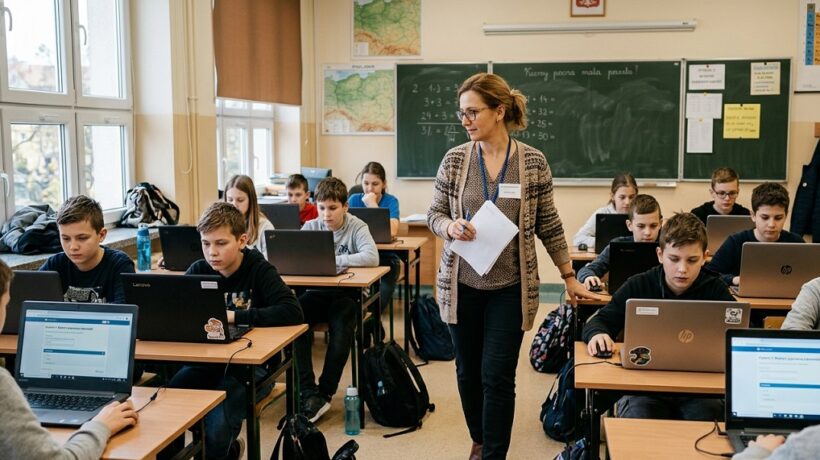
Free online tools for creating classroom tests and quizzes
This post is a practical guide to the world of AI in education, written by a practitioner. In it, I will show you how to use free and easily accessible tools to revolutionize the organization of tests and exams, but also all our daily work – from kindergarten to university.
Every good test is the culmination of a well-thought-out teaching process. Before we can evaluate knowledge, we need to convey it effectively. This is where AI becomes our partner in creative brainstorming.
Let’s face it: creating an innovative lesson scenario after eight hours of work can be a challenge. Language models such as ChatGPT (version 3.5 free), Google Gemini or Claude act as an inexhaustible source of inspiration.
How does it work in practice? Instead of searching for hours on the Internet, we formulate a precise command, the so-called prompt.
Kindergarten teacher:
Prompt:
“You are an experienced early childhood educator. Create a weekly lesson plan on ‘Space’ for a group of 5-year-olds. Include movement games, artwork, a song, and a simple science experiment.”
The result: the AI will generate a ready-made schedule with specific ideas in a few seconds, e.g. “Day 2: Planets – creating a solar system from polystyrene balls, a movement game of ‘planetary orbits'”.
September 20, 2026
High school teacher (Polish):
Prompt:
“Prepare a lesson plan for 45 minutes on the topic of ‘Various images of love in the Doll of Bolesław Prus’. Suggest a method of working in groups, key questions for discussion and homework for those who are interested.”
Result: We get a lesson structure that can become a basis for further work – we save time on the concept and focus on refining it.
Academic Lecturer:
Prompt:
“Design a syllabus for the ‘Introduction to Sociology’ course for 15 weeks. For each week, please provide a topic, 3 key concepts, and suggested background and supplementary literature.”
Result: The skeleton of the entire semester is ready for verification and adaptation.
Teaching materials: From worksheets to interactive simulations
Once we have a plan, we need tools. AI offers us a real factory of personalized materials.
- Graphics and Visuals: Tools like Canva (with Magic Design), Microsoft Designer, and Adobe Firefly can generate illustrations, infographics, and mind maps based on text description.
- Application: An elementary school biology teacher asks, “Create a colorful infographic showing the life cycle of a butterfly, with simple descriptions for a 10-year-old.” A historian in a technical school can generate a mind map with key figures and events of the Battle of Grunwald.
Interactive presentations: Platforms such as Curipod or Mentimeter use AI to weave interactive elements into a traditional presentation: word clouds, polls or quizzes generated in real time based on the content of the slide.
Case Study: Mrs. Jeanne and the French Revolution
Mrs. Joanna is a history teacher in a high school. She wants her lessons on the French Revolution to be more engaging than just a lecture.
- Planning: Uses Google Gemini, typing: “Create an interdisciplinary project for 4 lesson hours on the French Revolution, combining history with WOS and the Polish language.” AI proposes a division into blocks: causes, course, effects and legacy of the idea of revolution in the modern world.
- Resources: In Canva , it generates a timeline with the most important dates of the revolution. Then, using DALL-E 3 (available in Microsoft Copilot), he creates stylized portraits of Danton and Robespierre for comparative analysis.
- Task: Finally, in Pictory.ai (a tool for creating video from text), it turns a fragment of the “Declaration of the Rights of Man and of the Citizen” into a short video with a voiceover and matching images. Students are engaged, and visuals help them understand a complex topic. The whole preparation took her 90 minutes, not the whole weekend.
Organization of exams and tests
This is the heart of our revolution. AI allows us to create better, more diverse tests and dramatically reduce the time it takes to check them.
Task generation: Personalization and differentiation
Manually creating several versions of the test for groups of different levels of advancement is a lot of work. AI does this in no time.
Quiz and test generators: Platforms like Quizizz AI, Kahoot AI, and MagicSchool.ai are the real game-changers.
- How does it work? You can paste a link to a YouTube video, a piece of text from a textbook, or even just give a topic. The AI will analyze the content and automatically generate a set of questions (multiple-choice, true/false, open-ended).
- Application: A teacher of vocational subjects in a technical school pastes a link to an instructional video about the operation of an internal combustion engine. Quizizz AI creates 10 questions in a minute to check the understanding of the material.
- Differentiation: We can ask the AI: “Based on this text on photosynthesis, create 5 questions for a student with basic educational needs (simpler vocabulary, closed-ended questions) and 5 questions for a gifted student (requiring analysis and synthesis).”
Automate grading and feedback
Checking online closed tests is standard, but AI goes one step further.
- Smart grading: Platforms like Gradescope (popular in higher education, but with increasing adoption in secondary education) can group similar responses to open-ended questions, allowing dozens of papers to be graded by de facto checking for a few unique answers.
- Feedback support: This task remains the teacher’s domain, but AI can be our assistant. Instead of writing “Pay attention to punctuation” for the hundredth time, we can use tools like Copilot or ChatGPT to generate suggestions.
- Example: We paste a fragment of a student’s essay with a request: “You are a supportive Polish scholar. Point out one strong point in this paragraph and offer one specific suggestion on how it can be improved in terms of argument.” AI will not write the evaluation for us, but it will give us a well-formulated, constructive proposal that we can adapt.
Organizing an exam using AI
- Define goals: What exactly do you want to teach and what do you want to check?
- Generate a revision lesson outline: Use Google Gemini to create a lesson plan that consolidates the material.
- Create diverse review materials: Use Canva AI to create mind maps and flashcards. Use ElevenLabs (speech generator) to record key definitions for auditory learners.
- Generate a database of questions: Paste snippets of materials into MagicSchool.ai or Quizizz AI to create a bank of questions of varying difficulty.
- Create test versions: Choose the best questions and ask the AI to mix them up and create an A/B/C version.
- Make it accessible: Use tools like Speechify to prepare a read-aloud version of the quiz for students with special needs.
After the test (assessment and analysis)
- Automate the grading of closed assignments: Use an online quiz platform (e.g., Google Forms, Quizizz).
- Use AI for feedback suggestions: Analyze written work with the help of AI assistants to formulate personalized comments.
- Analyze the class results: Ask the AI to analyze the scoresheet: “Identify the 3 questions that were answered the worst. What could be the reasons for this and how can it be improved?”.
- Prepare communication for parents: Use AI to write a message template with a summary of the results and tips for further work.
Implementing AI is not only a matter of tools, but also of changing our work philosophy. We are facing huge opportunities, but we must be aware of the risks.
Possible directions of development (Opportunities):
- Hyper-personalization: AI systems that adapt in real-time to each student’s learning pace and style, creating unique learning paths.
- Teacher as a curator and mentor: Shifting the burden from knowledge transfer (what AI can do effectively) to developing soft skills, creativity, and teamwork.
- Simulations and virtual reality: AI will power advanced simulations, allowing students to conduct virtual chemical experiments, participate in historical events, or design complex structures in a safe environment.
Risks and challenges (threats):
- Shortcuts and academic integrity: We need to teach students how to use AI ethically as a learning tool, not as a generator of finished work. This requires new rules of evaluation and focus on the process, not just the final product.
- Data privacy and security: Schools and teachers need to use proven, secure tools that protect student data.
- Algorithmic bias: AI learns from existing data, which can lead to duplication and reinforcement of stereotypes. Critical evaluation of AI-generated results is absolutely crucial.
Teacher in the AI Era – recommendations:
- Be an expert in your field, not in AI. You don’t need to know how to program. Your task is to substantively verify the content that the AI generates. Always treat them as a first draft, not the ultimate truth.
- Think about the process, not the product. Change the forms of tests. Instead of a essay to write at home, host a classroom debate, ask for a video essay, or create a project where AI is one of the allowed research tools.
- Model responsible usage. Show students how you use AI. Brainstorm ChatGPT together. Analyze critically generated images. Teach them how to write good prompts and how to verify information.
- Start small. Choose one most time-consuming task in your job – such as creating worksheets – and try to automate it. A small success will motivate you to continue experimenting.
- Remember: technology is for us, not us for technology. If the tool generates more frustration than benefit, put it aside. The most important thing is your pedagogical intuition and an authentic relationship with the student.
Artificial intelligence is not just another educational fad. This is a fundamental change, comparable to the invention of printing or the Internet. It offers us a gift that generations of educators have dreamed of – the gift of time. Time that we can reclaim from bureaucratic and repetitive tasks to invest in what is irreplaceable: in individual conversations with students, in building a sense of community in the classroom and in our own professional development.
Our role is evolving. From a lecturer and examiner, we become architects of educational processes, mentors and guides through a complex, digital world. We teach not only “what”, but above all “how” – how to learn, how to ask questions, how to think critically and how to use the powerful tools we have at our fingertips wisely.
I encourage you to be brave and curious. Open one of the tools listed and treat it like a sandbox. Experiment, make mistakes, and explore new possibilities. The red pen will still be needed, but with the support of the intelligent assistant, every stroke it takes can be more thoughtful, more substantive and, most importantly, more human.
So far, we’ve focused on how AI can optimize our current work. The real revolution, however, lies in how this technology allows us to fundamentally rebuild what and how we teach. It’s no longer just about creating tests, but about developing competencies that will allow our students to find their way in a world where AI is ubiquitous.
Shaping resilience to disinformation: The student as a critical verifier
Language models, such as ChatGPT, can “hallucinate” – generate false information, erroneous dates, or non-existent sources with full conviction. Instead of seeing it as a disadvantage, let’s turn it into one of the most valuable exercises of the 21st century.
(to be adapted at every educational stage)
Objective: The student is able to critically evaluate the information generated by the AI, verify it in reliable sources and point out potential errors.
- Stage I (generation): Together with the class, we formulate a prompt on a controversial or niche topic (e.g., “Describe the daily life of the Vikings, including their diet and legal system” for the historian; “Explain the advantages and disadvantages of fusion energy” for a physicist).
- Stage II (deconstruction): We divide students into groups. Each group receives a fragment of the generated text with the task: “Find at least three facts in this text. Your goal is to confirm or refute each of them using at least two independent, reliable sources (online encyclopedias, scientific articles, verified educational portals).”
- Stage III (synthesis): The groups present their results. We discuss: What did AI report correctly? Where did it go wrong? What were the features of the reliable sources we used?
Conclusion: Students experience firsthand that AI is a powerful starting point, but not the final oracle. They learn the most important competence of the future: cognitive distrust and the habit of verification.
“Prompt engineering” as a new literacy
The ability to formulate precise commands (prompts) becomes as important as the ability to write or research. It’s the art of asking questions to a machine that requires logic, linguistic precision, and a deep understanding of the subject.
Why is this crucial? A student who can write a good prompt must first break down the problem into its prime factors in its head. It is an exercise in analytical and synthetic thinking.
Artificial Intelligence and Integration and Equalization of Educational Opportunities
This is one of the most promising and ethically beautiful areas of application for AI. For students with special educational needs, AI is not a convenience – it is an assistive technology that breaks down barriers
- Students on the autism spectrum: AI can generate very literal, structured step-by-step instructions for tasks. They can also be used to create social stories on any topic (“Write a social story for a 10-year-old that explains how to behave during a school trip to a museum”).
- Students with dyscalculia: Apps like PhotoMath allow you to scan a task and show you the solution step by step, visualizing the thought process. The teacher may recommend that the student analyze these steps as a form of tutoring.
- Students with visual disabilities: AI tools built into operating systems (e.g. Seeing AI from Microsoft) can describe the environment in real time, read text from a whiteboard or recognize people – this is a revolution in independence.
- Students with a language barrier (foreigners): Real-time translation tools, flashcard generators for learning vocabulary or personalized language tutors (like in Duolingo Max) dramatically accelerate language acclimatization.
Redefining Homework and Authenticity Assessment
The fear of plagiarism with the use of AI is natural, but instead of fighting this technology, we should redesign tasks so that its use is desirable and at the same time verifiable.
Three strategies for authentic homework in the age of AI:
- “Two versions” strategy: The student is tasked with generating an answer to a question (e.g., “Describe the causes of the outbreak of World War I”) using AI. Then, his proper homework is to write a review, proofreading and supplementing this text. He needs to add his own thoughts, verify the facts, improve the style, and point out what the AI has missed. We evaluate not the first version, but the quality of this meta-analysis.
- A “practical application” strategy: The tasks are no longer about writing a text, but about using it. Instead of writing an essay, the student is asked to create a script for a short video, podcast, presentation in the format of Pecha Kucha or a blog post on a given topic, using AI for research and writing the first draft. We evaluate the final multimedia product and its creativity.
- The strategy of the “debate with AI”: The student is tasked with conducting a debate with AI (e.g. ChatGPT in conversation mode) on a specific topic (e.g. “Was Hamlet a madman or was he pretending?”). Homework is to send a transcript of the entire conversation along with a final summary in which the student evaluates the AI’s arguments and formulates their own position that they have developed during this discussion. We assess the quality of argumentation and the ability for critical dialogue.
Collaboration, development and communication
Implementing AI at school is not an individual effort, but a process that requires systemic support and dialogue with all stakeholders. As teachers, we are constantly educating ourselves. AI can become our personalized assistant in this process.
- Scientific research summary: Have you come across a complicated article about the latest research in the field of neurodidactics? Paste it into Claude or Gemini with the prompt: “Summarize this scientific article in 5 key points, using simple language, understandable to the practicing teacher.”
- Simulating difficult conversations: Do you need to have a difficult conversation with a parent? You can practice this with AI: “You are the parent of a student who has behavioral problems. I am a teacher. Let’s run a simulation of a conversation where you express your fears and frustrations.”
- Discovering new methods: Do you feel that your methods are becoming monotonous? Ask the AI: “Suggest 5 alternative, engaging teaching methods about the multiplication table, other than classic cramming.”
Dialogue with parents and the school community: How to talk wisely about AI?
By bringing AI into your classroom, you become an ambassador for this technology. It’s crucial that parents and management understand your goals and don’t see it as a threat.
- Newsletter for parents: Prepare a short information explaining in simple words what AI tools you will be using and for what purpose (e.g. “This semester, we will be using the Quizizz AI tool to create engaging revision quizzes. Our goal is to develop children’s digital competences and critical thinking in a safe environment”).
- Workshops for those who are interested: Offer a short meeting (in-person or online) during which you will show parents how these tools work and what benefits they bring. Make a fun quiz together or generate a fairy tale together. Experience is worth more than a thousand words.
Prepare a FAQ (Frequently Asked Questions):
- Is it safe for my child? (Answer: We only use reputable learning platforms that respect data privacy and do not require you to provide personal information.)
- Won’t AI replace you as a teacher? (Answer: Absolutely not. AI is a tool that allows me to save time on technical tasks so that I can pay more attention to working with each student individually.)
- Won’t my child learn to cheat? (Answer: On the contrary. We teach children how to use AI ethically – as a tool for research and inspiration. Our tasks are designed to promote critical thinking, not copying.)
To conclude this extended reflection, I would like to stress that we are faced with a choice. We can either ignore the coming wave or learn to surf it. As educators, we are obliged to prepare our students for the world that will be, not just the one that was. Artificial intelligence, if approached with wisdom, curiosity and a critical mind, becomes the most powerful ally in this mission.