


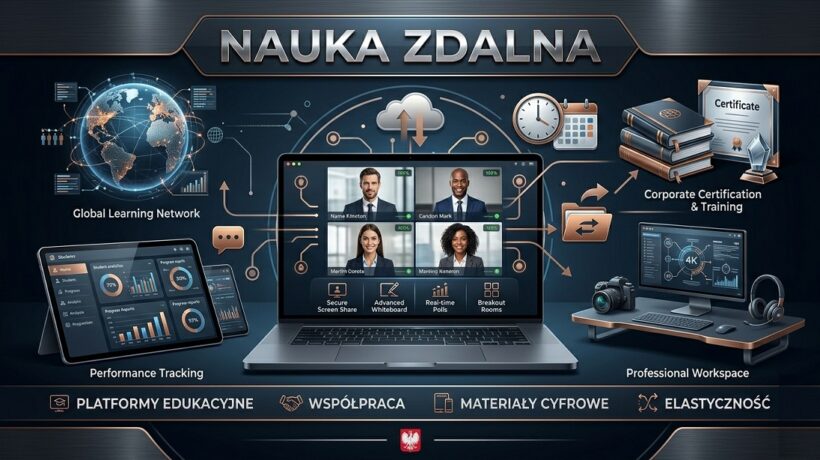
Which platforms are best for remote learning? A guide for teachers
A new era of education – not only a necessity, but also an opportunity
The modern school has undergone a gigantic digital transformation. The question of which services allow teachers to conduct remote lessons has ceased to be the domain of IT specialists, and has become a key element of the work of every educator. As experts in the field of education and new technologies, we understand that choosing a platform is not only a matter of video transmission, but above all building an engaging learning environment (Virtual Learning Environment – VLE).
In this article, we will analyze the most effective solutions, taking into account connection stability, teaching features, ease of use, and compliance with GDPR regulations. Whether you’re a public school teacher, run your own language school, or a tutor, this ranking will help you choose the tools tailored to your needs.
Criteria for choosing the perfect remote learning service
September 20, 2026
Before we move on to specific names, we need to define what makes a service “good” for remote learning. From the perspective of a pedagogue-advisor, the following are crucial:
- Intuitiveness (UX): The teacher and student must not waste time fighting the interface.
- Activation tools: Breakout rooms, live polls, screen and whiteboard sharing.
- Content management: Storing materials, assigning homework, and grading.
- Availability: Works on smartphones, tablets, and weak internet connections.
- Costs: Does the platform offer a free package for the education sector?
Video conferencing
The most popular platforms for video conferencing and “live” lessons
Microsoft Teams – a comprehensive command center
Microsoft Teams is currently the most powerful tool available as part of the Office 365 package (Microsoft 365 Education). It’s not just a communicator, but a full-fledged operating system for the classroom.
Key features:
- OneNote Class Notebook: Allows you to keep student notebooks in the cloud, where the teacher can make corrections in real time.
- Office Integration: Direct editing of Word, PowerPoint, and Excel files inside the app.
- Tasks and assessments: A module for collecting works with a built-in anti-plagiarism system.
- For whom? For schools that need a system solution and have implemented domain accounts for students.
Google Classroom and Meet – simplicity and integration
If you’re looking for an answer to the question of which service is the easiest to use, the answer is: Google Workspace for Education.
- Google Classroom: Used to manage your workflow (assignments, announcements, handouts).
- Google Meet: A video conferencing module that is extremely lightweight and stable.
- Advantages: A huge database of ready-made lesson plans available on the web, integration with Google Calendar and Drive. Everything works in the browser, without the need to install heavy software.
Zoom
Zoom for Education – Interaction Leader
Although Zoom is mainly associated with business, its educational version has features that the competition has learned from it for years.
- Breakout Rooms: The most intuitive way to divide the class into smaller teams for project work.
- High audio and video quality: Even with a weaker connection, Zoom performs better than Teams.
- On-screen annotations: Ability for all participants to write together after a shared presentation.
Webex
Cisco Webex – Security First
Often overlooked, but extremely valuable in higher education and large institutions. Webex offers advanced moderation and encryption features, which is crucial for online exams.
LMS
LMS (Learning Management Systems) for advanced users
A remote lesson is not just about “talking heads” on the screen. It’s a process that requires structure. This is where LMS systems come in.
Moodle
Moodle – an open-source powerhouse
- Moodle is a service that allows teachers to create their own, fully personalized e-learning platform.
- Advantages: Full control over data, thousands of plugins (e.g. language learning module, advanced tests).
- Cons: Requires your own server and technical knowledge to set it up.
Canvas
Canvas LMS – modernity in the cloud
Canvas is becoming a standard in the world’s top universities. Its interface is much more modern than in the case of Moodle, and integration with external tools (LTI) allows you to easily connect, for example, YouTube videos or tasks from Khan Academy.
Interaction
Tools supporting student interaction and activation.
Conducting a remote lesson requires “breaking” the monotony every 10-15 minutes. These services perfectly complement the main platforms (Teams/Google).
Gamification
Kahoot! and Quizizz – gamification in practice
These are services that allow you to conduct quizzes in real time.
- Kahoot! He focuses on competition and reflexes.
- Quizizz allows students to work at their own pace, which is pedagogically healthier in groups of varying levels.
Boards
Padlet and Miro – virtual whiteboards and cooperation
- Padlet: Digital cork board. Perfect for “brainstorming” or collecting links from students.
- Miro/Jamboard: Infinite whiteboards for mind maps and project planning.
Materials
Genially and Canva – interactive teaching materials
Instead of boring slides, the teacher can create interactive presentations, escape rooms or infographics. Genially is currently number one in the Polish edusphere when it comes to visual engagement of students.
Security
Security and GDPR in remote learning
When choosing a service for remote lessons, the teacher must remember about the legal aspects.
- Data processing agreement: The school should have a signed agreement with the supplier (e.g. Microsoft or Google).
- Server location: Ideally, the data should be processed within the EEA (European Economic Area).
- Passwords and access: Lessons should not be open to outsiders (so-called “zoombombing“).
Methodology
Methodology: How not to bore a student in front of a screen?
As an educator-advisor, I recommend the Blended Learning model (hybrid learning) and Flipped Classroom (flipped classroom).
- Step 1: Send the video/text before the lesson (e.g. to Google Classroom).
- Step 2: During a live meeting (Meet/Teams), focus on discussion and problem-solving, not on the lecture.
- Step 3: Use surveys (Mentimeter) to check your understanding of the topic on an ongoing basis.
Comparison of remote and hybrid learning platforms
| Feature | Microsoft Teams | Google Workspace | Zoom | Moodle |
|---|---|---|---|---|
| Main objective | Comprehensive school ecosystem | Simplicity and collaboration in the cloud | Stable video conferencing | Advanced Online Courses |
| Ease of use | Medium (needs to be implemented) | High | Very high | Low (for admin) |
| Free Version | Yes (Education Package) | Yes (Foundations for Schools) | Yes (limit 40 min in free) | Yes (Free Software) |
| Working in groups | Yes (rooms and channels) | Yes (rooms in Meet/Docs) | Yes (breakout rooms) | Yes (asynchronously) |
| File integration | Outstanding (Office 365) | Good (Google Drive) | Basic | Very good |
FAQ – Frequently Asked Questions
1. Which service for remote lessons is completely free?
Most platforms offer free packages for schools (the so-called A1 plans at Microsoft or Fundamentals at Google). For individual tutors, Google Meet or Skype are good choices, although they have time limits in the free versions.
2. Which tool to choose for learning foreign languages?
For teachers, Zoom works great because of the high quality of audio and the ease of sharing audio from a computer, which is crucial for headphones.
3. Does a student need to create an account to join a lesson?
Microsoft Teams and Google Classroom typically require an account with your school’s domain. In Zoom, a student can join via a link without creating an account, which makes it easier to get a quick start.
4. What is a “flipped classroom” in remote learning?
This is a method in which the student gets acquainted with the theory at home (through materials in the LMS service), and the time of online lessons is devoted exclusively to practice and interaction with the teacher.
Summary and recommendations
The choice of a service for conducting remote lessons depends on the scale of your activities. If you manage the entire school, choose Microsoft Teams or Google Workspace. If you are passionate about modern activation methods, be sure to complement your workshop with Genially and Kahoot!.
Remember that technology is just a tool – the most important thing is the relationship with the student and the idea of how to transfer knowledge.
Do you want to implement remote learning in your school? Use our guides.