


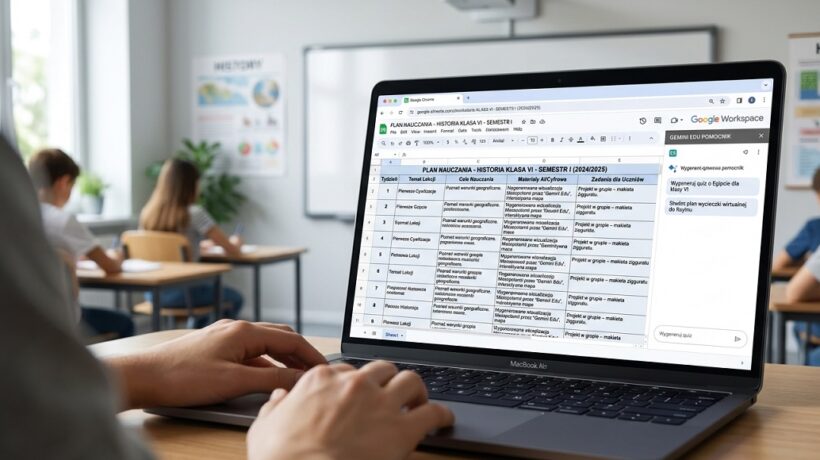
How to schedule an entire semester in Google Sheets with AI in less than an hour
Semester Under Control: How to Plan Everything in 60 Minutes with AI and Google Sheet
On the one hand, you are looking forward to meeting the students, but on the other hand, you feel this growing pressure in your stomach. You open an empty calendar, look at the distribution of the material, the list of holidays, trips, days off, and chaos begins in your head. You try to put together a plan, but it’s like putting a puzzle together in a fog. As a result, for most of the semester you operate in firefighting mode – planning from week to week, reacting, not creating. You feel like a hamster in a spinning wheel, and your brilliant ideas for lessons are lost under a pile of daily “I have to”.
What if I told you that you can turn this annual chaos into one 60-minute ritual that gives you a clear plan for the entire semester? A ritual that will make you feel calm and in control, with a map at hand to guide you through the months to come?
This article is not a theory of time management. This is a workshop after which you will leave with a ready-made, flexible plan for the whole semester, created in Google Sheet with the help of your new assistant – artificial intelligence. Our goal is simple: to gain a clear plan of action for the entire semester that will drastically reduce your daily stress and free your head for creative teaching. It’s time to take the reins.
Why does it really work? Arguments for the busy
- How to schedule an entire semester in Google Sheets with AI in less than an hour
- Why does it really work? Arguments for the busy
- Workshop: How to do it step by step?
- Hire a Scheduling Assistant – Time for AI (10 minutes)
- Create Your Command Center in Google Sheet (10 minutes)
- Match the plan to reality
- Work with your plan on the fly
- Scenario 1: Mrs. Ania, a teacher in the 3rd grade of primary school
- Scenario 2: Mr. Tomasz, a high school teacher
- Teacher's Essentials: Tools and Resources
- Summary: Your personal checklist
- Topic 3: Plan for next year
September 20, 2026
“Another system to implement? I’ve already got enough tables!” – if you think so, I understand you perfectly. But this is not another table. It’s your central command system, and the hour invested at the start will pay you back tenfold. Here’s why:
- You gain priceless “mental space”. When you don’t have to wonder “What am I doing tomorrow?” every night, your brain is free. You can think about how to conduct the lesson, not what to accomplish in it. This is when the best ideas are born. It’s no more of the constant feeling that you’ve forgotten something.
- The plan becomes flexible and “alive”. The paper plan is dead. Illness, sudden substitution or an interesting discussion that “stole” 20 minutes destroys the entire intricate structure. In Google Sheet, moving topics, adding notes, or changing priorities is a matter of a few clicks. Your plan adapts to reality, not enchants it.
- You see “the whole forest”, not just individual trees. Planning from week to week makes you lose the bigger picture. A semester plan allows you to strategically distribute your tests, plan larger projects, and bring different topics together. Suddenly, you see that the topic of history combines perfectly with reading Polish in three weeks. Your teaching becomes consistent and thoughtful.
What are you risking by ignoring this topic? An old, well-known scenario: stress, working overtime, feeling constantly short of time and, finally, burnout. It is risking your health for chaos, which can be easily tamed.
Workshop: How to do it step by step?
Prepare the ingredients (5 minutes)
Before you start cooking, you need to have the products. Your products are:
- Core curriculum/distribution of material: Have a list of topics you need to complete. Just copied from a text editor.
- School calendar: Open the calendar for the next semester in the second tab. Pay attention to holidays, holidays, holidays, planned meetings, pedagogical councils.
- Your personal “milestones“: Do you already know that you want to do 3 tests, 1 large project and 2 quizzes? Make a note of it.
Hire a Scheduling Assistant – Time for AI (10 minutes)
Now the magic begins. Open your favorite AI assistant (e.g., Microsoft Copilot, ChatGPT) and paste the command below, completing the data in parentheses.
Built-in template: Copy and use – “Planning Prompt”
You are an expert in planning teaching work in a Polish school. Your task is to create an initial, semester-long distribution of material in the form of a table for the subject [wpisz przedmiot] in class [wpisz klasę]. The semester lasts from [data początkowa] to [data końcowa].
Below is a list of key topics to be implemented:[wklej tutaj listę tematów z podstawy programowej]
And here are the key events and dates of the semester:[wklej listę świąt, dni wolnych, ferii, np. 1 listopada – wolne, 11 listopada – wolne, ferie zimowe od… do…]
Please make the table include the following columns: Semester Week (number),
Suggested Dates (Date Range), Main Topic/Department, Suggested Number of Hours, Ideas for Activities or Working Methods.
Plan topics logically, taking into account days off. For topics that seem more complex, allocate more hours. With “Activity Ideas”, be creative, suggesting, for example, working in groups, a flipped lesson, a debate, a quiz, etc.
Press Enter and see how the skeleton of your plan for the entire semester is created in 30 seconds.
Create Your Command Center in Google Sheet (10 minutes)
- Go to sheets.google.com and create a new, blank sheet. Call it, for example, “Semester Plan – History 6c”.
- Copy the entire AI-generated table and paste it into your spreadsheet
- Add three key columns: Status, Materials (links), Notes.
– Status is a column that will make the plan live.
– Handouts are a place to link to your presentations, Canva worksheets, or YouTube videos.
– Notes are a place for your reflections: “This class needed more time for this issue” or “The debate method worked great!”.
Pro-Tip: Use conditional formatting for the Status column. Set a rule that if there is the word “To Do” in a cell, the background changes to red, if “Ready” to yellow, and if “Done” to green. It’s a simple trick that will visually show you the progress of the work and what you need to focus on.
Match the plan to reality
The AI gave you a brilliant sketch, but you are the teacher. Now it’s time for your knowledge and experience.
- Review the dates: Check if they coincide with your realistic lesson plan. Do you have a lesson on Tuesday and Thursday? Match dates.
- Adjust the number of hours: AI suggested 2 hours for romanticism? Do you know that with your class you need a 4? Change it. Combine or separate topics.
- Enter your “milestones“: In the relevant weeks, add the lines: “Unit 1 Test”, “Project Submission”.
- Fill in the Status column: All lessons have a “To do” status at the beginning.
Work with your plan on the fly
Your plan is ready! Now the most important thing: let it work for you.
- Every Sunday night: Take 5 minutes to look at the week ahead. Check what you have planned and change the status of the topics you are preparing materials for to “In preparation”.
- After each lesson: Take 30 seconds to update. Change the status to “Completed” and add a short note in the last column.
- When something changes: A lesson cancelled? Move the row lower.
Scenario 1: Mrs. Ania, a teacher in the 3rd grade of primary school
- Problem: Ania was overwhelmed by the amount of early childhood education material and the constant planning of the weekly topics. Her plans were scattered in several notebooks, which led to chaos.
- Method application: She created one parent worksheet where each week was one row. She used AI to generate suggestions for weekly topics and related activities (art, music, movement). In the “Notes” column, she wrote down which games the children liked the most.
- The result: for the first time, Ania had a view of the whole semester. This allowed her to integrate content from different educations and plan the necessary materials well in advance (e.g. chestnuts for autumn artwork). Her stress level dropped by half.
Scenario 2: Mr. Tomasz, a high school teacher
- Problem: The WOS program is very extensive, and Mr. Tomasz tended to get “bogged down” in topics that he was passionate about, so at the end of the semester he had to rush with the material.
- Application of the method: Mr. Tomasz used a template with AI to mercilessly write down all the departments and assign them a specific number of hours. The sheet became his “guardian of the pace”. If he saw that he had spent more time on a topic than he had planned, he knew he had to speed up the next week.
- Result: For the first time in years, he completed the entire core curriculum without haste. The students appreciated the clarity of the plan – they knew when to expect the tests and what awaits them in the coming weeks.
Common pitfalls and how to avoid them:
- The trap of the “Perfect Plan“: You create such a rigid and detailed plan that the first illness or school roll call ruins it.
– Solution: Treat your worksheet as a map, not a train timetable. It is a signpost that allows for detours. Leave a so-called “buffer week” in the plan every 5-6 weeks for repetitions and catching up. - “I Created and Forgot“: You take an hour to create a plan, then close the file and never go back to it.
– Solution: Make updating your plan a habit. Keep the sheet tab pinned in your browser. Make it the first thing you open when planning your work. - “Perfectionism in tools“: Instead of getting started, you spend 3 hours looking for the perfect scheduling app and watching tutorials.
– Solution: All you need is a free Google Sheet. The tool is supposed to be simple and functional. Start now with what you have.
Teacher’s Essentials: Tools and Resources
You don’t need anything complicated. This holy trinity is enough.
- Google Sheets (https://sheets.google.com) Yours free, accessible from any command center device. It works online, so you’ll never lose your plan.
- Microsoft Copilot (https://copilot.microsoft.com) An AI assistant connected to the internet, which makes its proposals more up-to-date. Great for creating a blueprint skeleton.
- ChatGPT (https://chat.openai.com) An alternative AI assistant, often more “creative” in suggesting ideas for lesson activities.
Summary: Your personal checklist
I hope you no longer feel overwhelmed, but excited. Planning can be a source of peace of mind, not stress. Remember these 3 key ideas:
- AI creates a sketch, you give it life. Technology is a brilliant intern, but you’re the art director.
- Flexibility is key. The plan is meant to serve you, not you the plan. Treat it like a living organism.
- A habit is more important than a tool. Regular, 2-minute updates are more valuable than the most advanced application.
Your roadmap for implementation – Checklist to get started:
- Gather a list of topics and a calendar for the semester.
- Copy the “Master Planning Prompt” and paste it into Copilot/ChatGPT.
- Create a new Google Sheet and paste the generated table.
- Review the plan, adjust the dates and the number of hours.
- Set the status of all lessons to “To Do” and congratulate yourself on taking back control of the semester.
Don’t put it off! Here are 3 things you can do in the next 15 minutes:
- Create a blank Sheet: Go to sheets.google.com, create a new file, and name it “[Przedmiot] – [Klasa] – Plan”. This is the first, most important step!
- Ask the AI one small question: Open Copilot and type, “Give me 5 creative ideas to start your first lesson with [Twój przedmiot] in class [numer klasy] after the holidays.” Copy the best idea into your new worksheet.
- Map “Minefields”: In your new worksheet, in the first column, enter all the dates from the upcoming semester when the lesson will NOT take place (holidays, principal’s days, holidays). This will allow you to see “black holes” in your plan right away.
You’ve already mastered Google Sheet. It is your reliable, logical command center. But what if you think more visually? Or if you want to turn your semester plan into an interactive design board? Here are the tools that perfectly complement your planning system.
Visual mind maps and virtual whiteboards (for creative thinkers)
The sheet is linear. Your brain doesn’t always. These tools will allow you to “see” the entire semester and the connections between topics.
- Miro (https://miro.com/) or FigJam (https://www.figma.com/figjam/)
Why is it worth it? Imagine an endless cork board where you can pin sticky notes, draw arrows, paste links and photos. Before you even put the plan together in a worksheet, you can brainstorm here. Scatter all the semester topics as separate sticky notes. Start connecting them with arrows, grouping them into sections, adding ideas. This is the best way to SEE the consistency of your plan and discover non-obvious connections between topics before closing them in rows and columns. - Trello (https://trello.com/)
Why is it worth it? If you like the sticky note system, Trello is the digital, turbocharged version of it. Create a board for your class. Create columns: “Ideas”, “Ready for this week”, “Completed”. Each topic on your plan becomes a “card” that you move between columns. You can add a checklist, attachments (e.g. a work sheet) and a deadline to each card. It’s an incredibly motivating and transparent way to manage your lesson preparations.
Specialized AI assistants for lesson planning
Once you have the structure in your worksheet, these tools will fill it with content.
- MagicSchool AI (https://www.magicschool.ai/)
Why is it worth it? It’s an AI assistant created from the ground up by teachers for teachers. It has dozens of specialized generators. You don’t have to write long commands. You simply select the “Lesson Plan Generator” option, enter the topic, class and objectives, and it creates a detailed outline in a proven format (e.g. 5E). It also has tools for creating columns, emails to parents, and much more. He speaks Polish!
- Diffit (https://web.diffit.me/)
Why is it worth it? Let’s say you have a topic called “Solar System” in your plan and you found a great article, but it’s too difficult for your class. You paste a link to Diffit, select a reading level (e.g. for grade 4), and the tool generates a simplified version of the text, a glossary of key terms, and a set of test questions in seconds. This is the perfect complement to your “Materials (links)” column.
You have created a worksheet. You may even have started using Trello. But the real change doesn’t lie in the tools. It lies in the way you think about planning. Here are three revolutionary concepts that will take your work to a whole new level.
Topic 1: The Plan as Your Mirror – The Art of Teachers’ Reflection
Your worksheet is much more than just a to-do list. It’s your personal, professional mirror. It is a record of your successes, challenges and development.
The key is this inconspicuous column: “Notes/Reflections“. Taking 30 seconds after class to write down one thought is the most important investment in your development. What to write?
- “The debate about Kordian – an absolute hit! The whole class is involved. Repeat it with another reading.”
- “The task with percentages turned out to be too difficult. Next time I have to break them down into smaller steps.”
- “Anne is very absent today. Talk to her tomorrow.”
- “I missed 10 minutes for a summary. Too much time at the beginning.”
After a month, review this column. You will see patterns. You will discover which working methods work for you and which do not. You will notice which topics regularly cause difficulty for students. Your plan is no longer just a schedule. It becomes a diagnostic tool for your own workshop.
Thread 2: The Magic of Sharing – From Isolation to Collaboration
One of the biggest problems of our profession is loneliness. We spend hours creating brilliant materials that no one but our students will see. Your digital plan can change that.
- Cooperation with teachers: Do you teach history in two sixth grades, and your friend in the other three? Please share your plans with each other (with the right to comment). You can exchange ideas in the “Notes” column on an ongoing basis, drop each other links to materials, and even synchronize test dates. It’s a simple way to build a team and share the load.
- Transparency for students and parents: Create a simplified version of your plan (hiding, for example, a reflection column). Make it available to students and parents in read-only mode. The result? Students know what awaits them, they can prepare better and feel partners in the learning process. Parents see the logic and professionalism of your work. It’s a simple activity that builds a lot of trust and reduces the number of questions like, “What’s going to happen in the next lesson?”
Topic 3: Plan for next year
What happens to your end-of-semester plan? Are you throwing it away? Absolutely not!
You archive it. A “Semester Plans” folder is created in your Google Drive. When you sit down to plan next year, at the end of August, you won’t start with a blank piece of paper. You open the plan from last year. What will you find there?
- A ready-made framework of topics with a realistically assigned number of hours.
- Links to proven materials, presentations and videos.
- Your priceless notes, telling you what worked and what was a failure.
You don’t start from scratch. You iterate. You upgrade. You replace weak points with strong ones. Instead of reinventing the wheel every year, you build a more and more perfect vehicle. Your set of plans becomes your “second brain” – a digital archive of your experience, wisdom and best practices.
With this approach, planning that will take you an hour this year may take 30 minutes next year. And in three years – a quarter of an hour. This is not a time-saver. This is a compound percentage of your own well-organized work.